I built a low-cost ticketing system for a volunteer-run event.
Organizers could manage reservations and see current payment, ticket, and check-in status without paying for a commercial event platform. Attendees kept familiar payment options, and volunteers got a simple check-in tool.
Generalized event name and fictionalized data.
ProblemTicketing lived across disconnected tools
UsersAttendees, organizers, volunteers
My roleDesigned, built, tested, and shipped
TechnologyPostgreSQL, Cloudflare
The problem
A simple ticket sale created a chain of manual handoffs.
Reservations, Zelle and in-person payments, spreadsheets, QR tools, email, and the event-day roster all lived in separate places. With multiple organizers involved, it was hard to tell which seats were held, paid, ticketed, or checked in.
Full e-commerce could have connected the flow, but it added processing fees and replaced payment methods the team and attendees already used.
My role
I designed, built, tested, and deployed the system.
I mapped the existing process, defined what attendees, organizers, and volunteers needed, and designed each interface. I used AI development tools during implementation, then tested, debugged, deployed, and refined the system.
What I built
A lower-cost way for organizers to manage tickets and see live status.
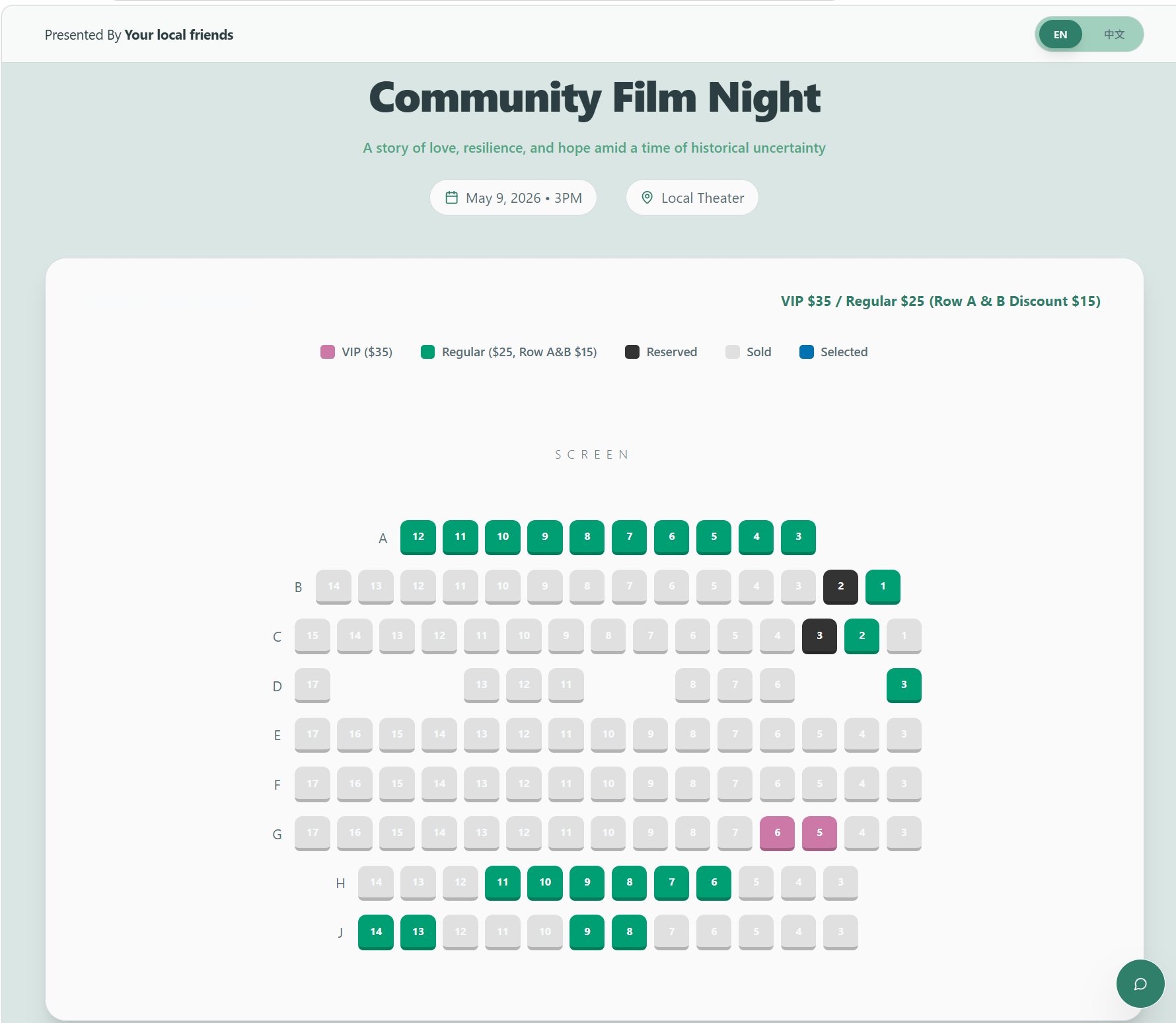
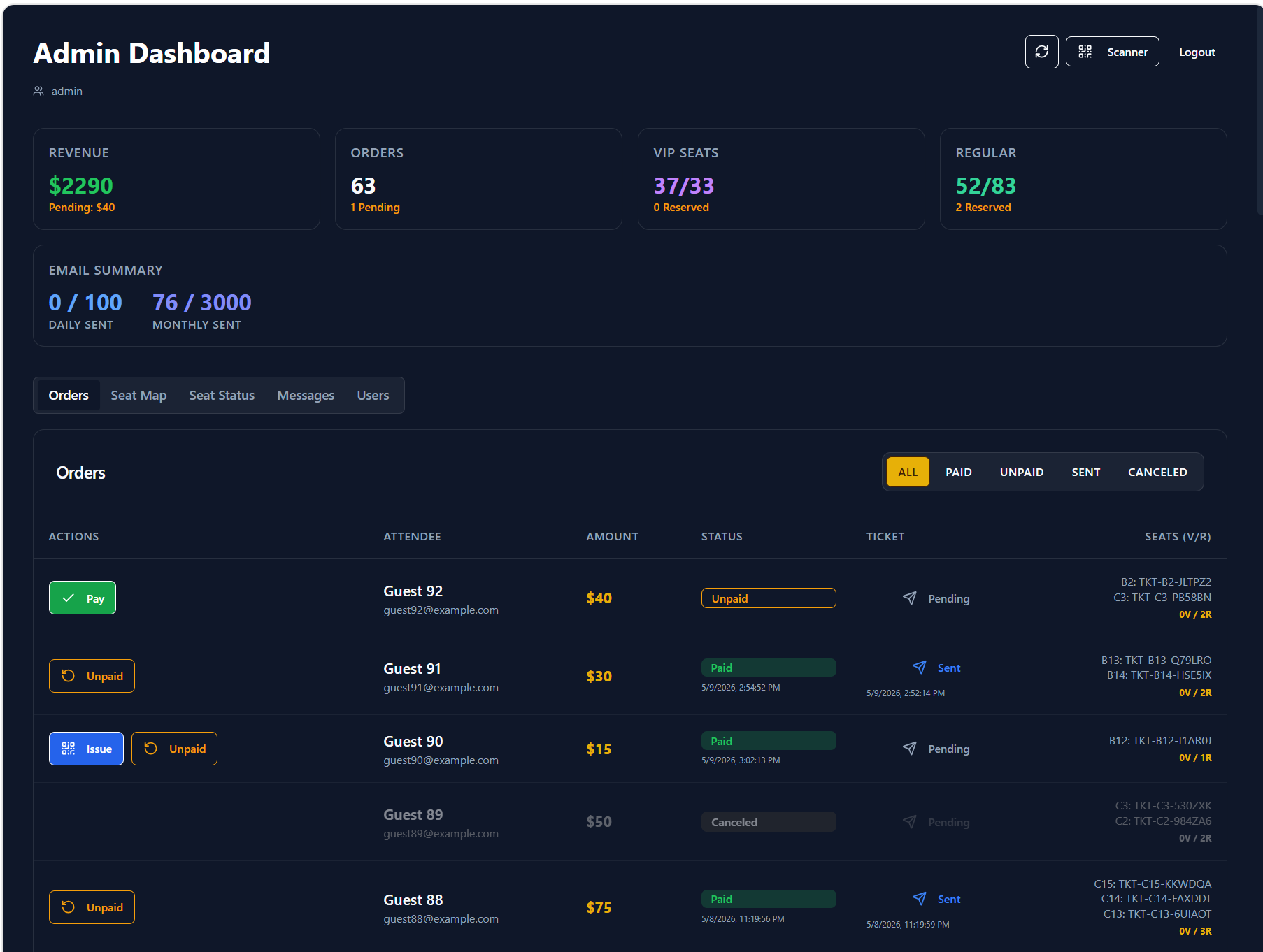
I built a lightweight alternative to high-cost commercial event platforms. Organizers can manage seat inventory, reservations, payment status, QR code tickets, email delivery, and check-in from shared live data. Volunteers get a focused scanner without full admin access.
The system uses PostgreSQL, and the attendee-facing site is hosted through Cloudflare. If the organizers use it again, the event details, seat inventory, and pricing can be updated for the next event.
Product decisionAutomate the coordination around payment—not payment itself.
How it works
One system for attendees, organizers, and check-in volunteers.
Before
Submit a ticket request through a Google Form
Pay through Zelle or in person
Manually confirm payment
Update a separate roster
Create a QR code ticket
Email the QR code ticket manually
Scan and update the roster again
Shipped workflow
Attendee
Choose seats → Reserve → Pay flexibly
Organizer
Verify payment → System generates the QR code ticket → System emails it to the attendee
Volunteer
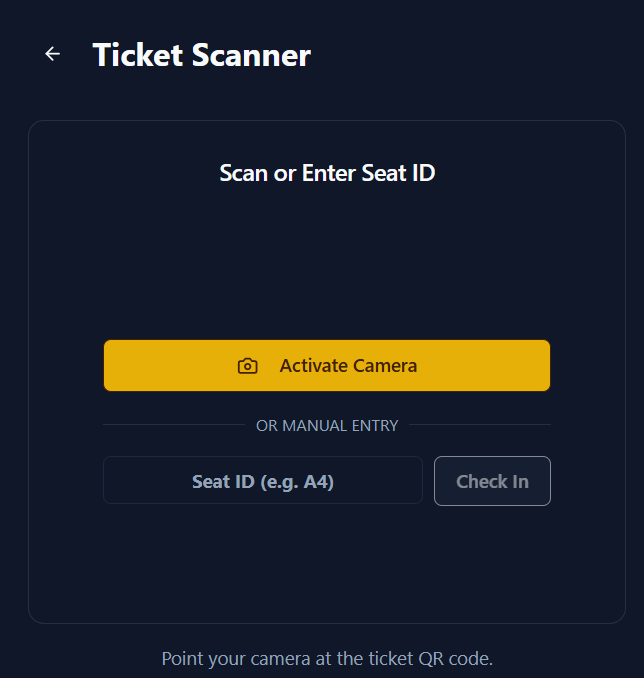
Scan QR or enter seat ID → Record check-in
Product decisions
Give each user only the workflow they need.
Organizers manage reservations, payments, tickets, inventory, and email from one dashboard. Volunteers get a scanner that can read a QR code or accept a seat ID manually—without exposing payment or attendee administration.
Shared organizer view with fictional guest data.Scanner-only access for event-day volunteers.
Shipped to production
The product carried the event from reservation through check-in.
Final production results from the live event workflow.
99seats sold
About $2.6Kcollected
56paid reservations
86attendees checked in
The takeaway
Keeping payment confirmation manual was the right tradeoff.
Organizers kept using Zelle and in-person payments, avoiding commercial platform fees. Once an organizer confirmed payment, the system generated and emailed the QR code ticket automatically and kept the shared status current.