← Short case study
01Product walkthrough · Shipped tool

How the event ticketing system works.

Attendees reserve exact seats, organizers manage tickets and current event status, and volunteers check in guests without access to the full admin system.

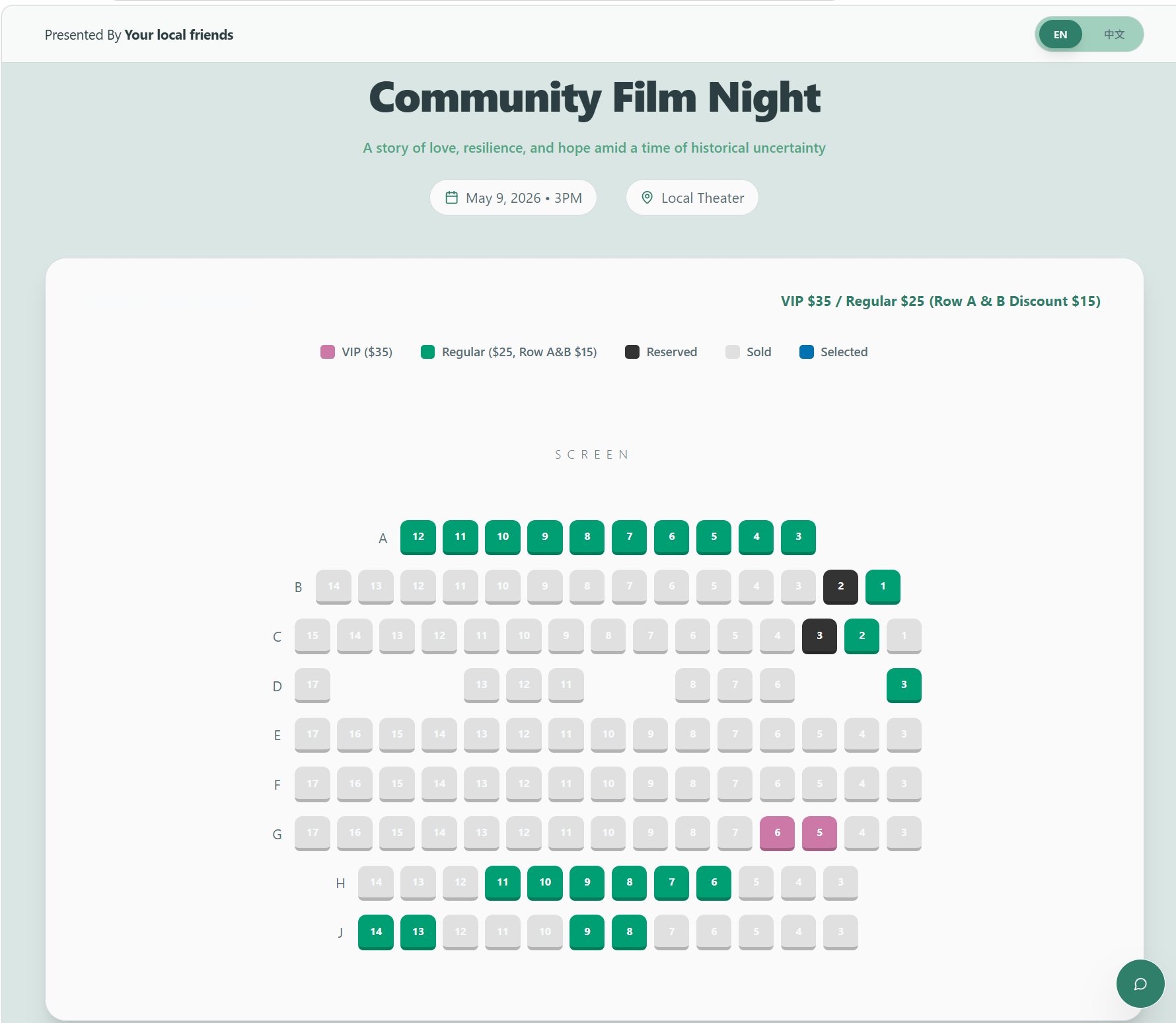
Fictionalized community film event reservation page with an interactive seat map
Generalized event name and fictionalized data.
Role

Workflow and interface design
AI-assisted implementation
Testing and deployment

Product

Seat reservations
Payment verification
Ticketing and check-in

Production

99 seats sold
About $2.6K collected
86 attendees checked in

Manage tickets without the cost of a commercial event platform.

The system brings seat selection, reservations, payment confirmation, QR code tickets, email delivery, and check-in into one place. Organizers see the current status without reconciling several spreadsheets and tools.

I mapped the existing process, designed the attendee, organizer, and volunteer interfaces, and used AI development tools during implementation. I then tested, debugged, deployed, and refined the system for the live event.

From seat selection to check-in, without a separate roster.

Before

Separate tools and repeated updates

  1. Reservation page
  2. Zelle or in-person payment
  3. Organizer manually confirms payment
  4. Add attendee to a separate roster
  5. Create a ticket number
  6. Generate a QR code in spreadsheet tooling
  7. Email the ticket manually
  8. Scan at the venue
  9. Update the roster again

Status was fragmented across people and tools, so every handoff required another update or confirmation.
In the product

Three connected user flows

Attendee
  1. Choose seats
  2. Reserve
  3. Pay flexibly
Organizer
  1. Review reservation
  2. Confirm payment
  3. System generates QR code ticket
  4. System emails the attendee
Event day
  1. Scan QR or enter seat ID
  2. Record check-in
  3. Update shared status

Payment stays flexible, while reservations, tickets, email, and check-in remain connected in the same record.

Choose an exact seat and reserve it.

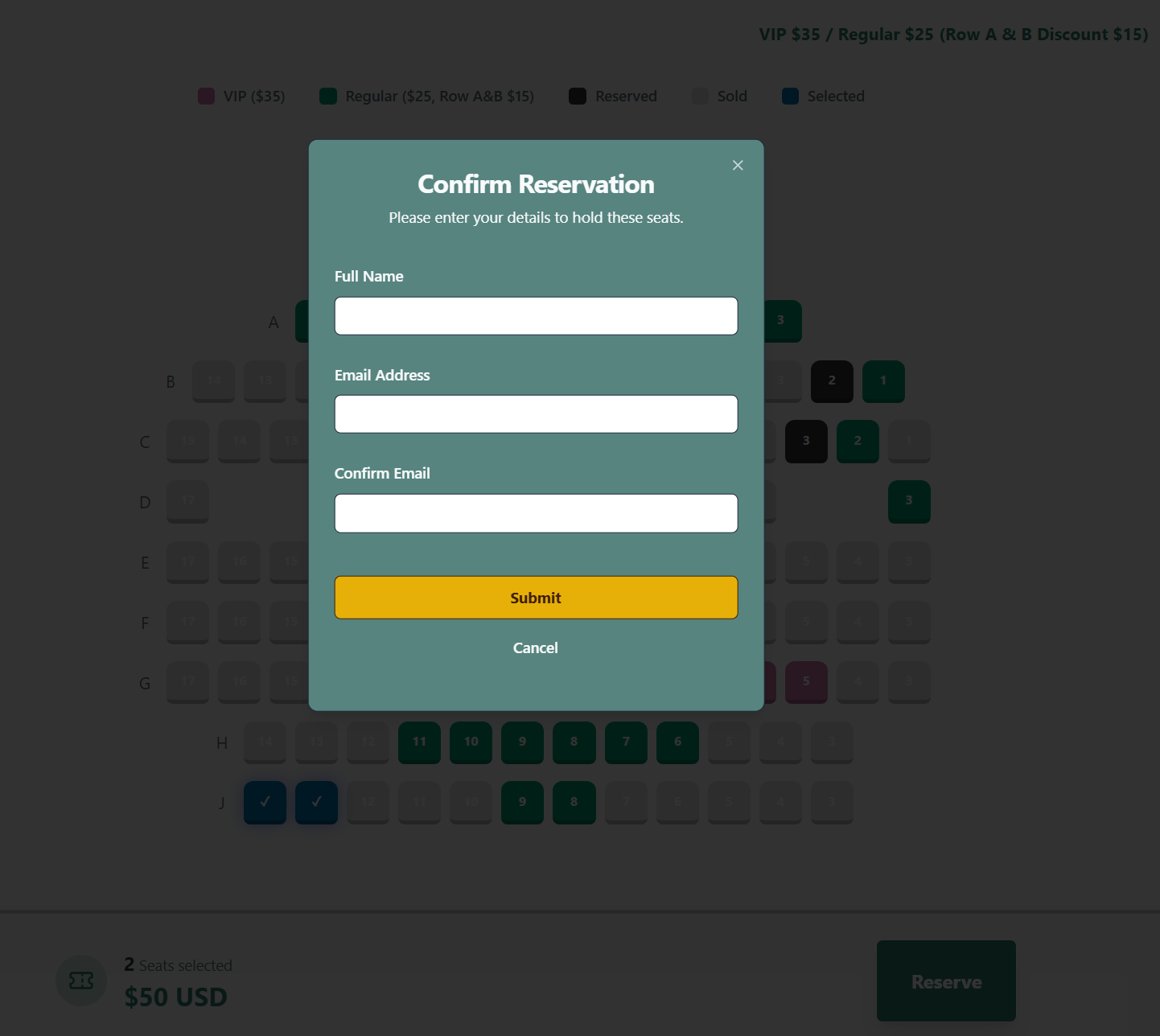
Attendees see live seat availability, pricing tiers, and selected seats before submitting a reservation. The interface creates a temporary hold while the attendee completes the chosen payment method. This preserves seat choice without forcing attendees into an integrated card checkout.

  • Exact seat selection
  • Visible availability and pricing
  • Reservation validation before submission
  • Simple contact capture for ticket delivery
Fictionalized seat-selection interface with a reservation confirmation form
Reservation form shown with blank attendee fields.

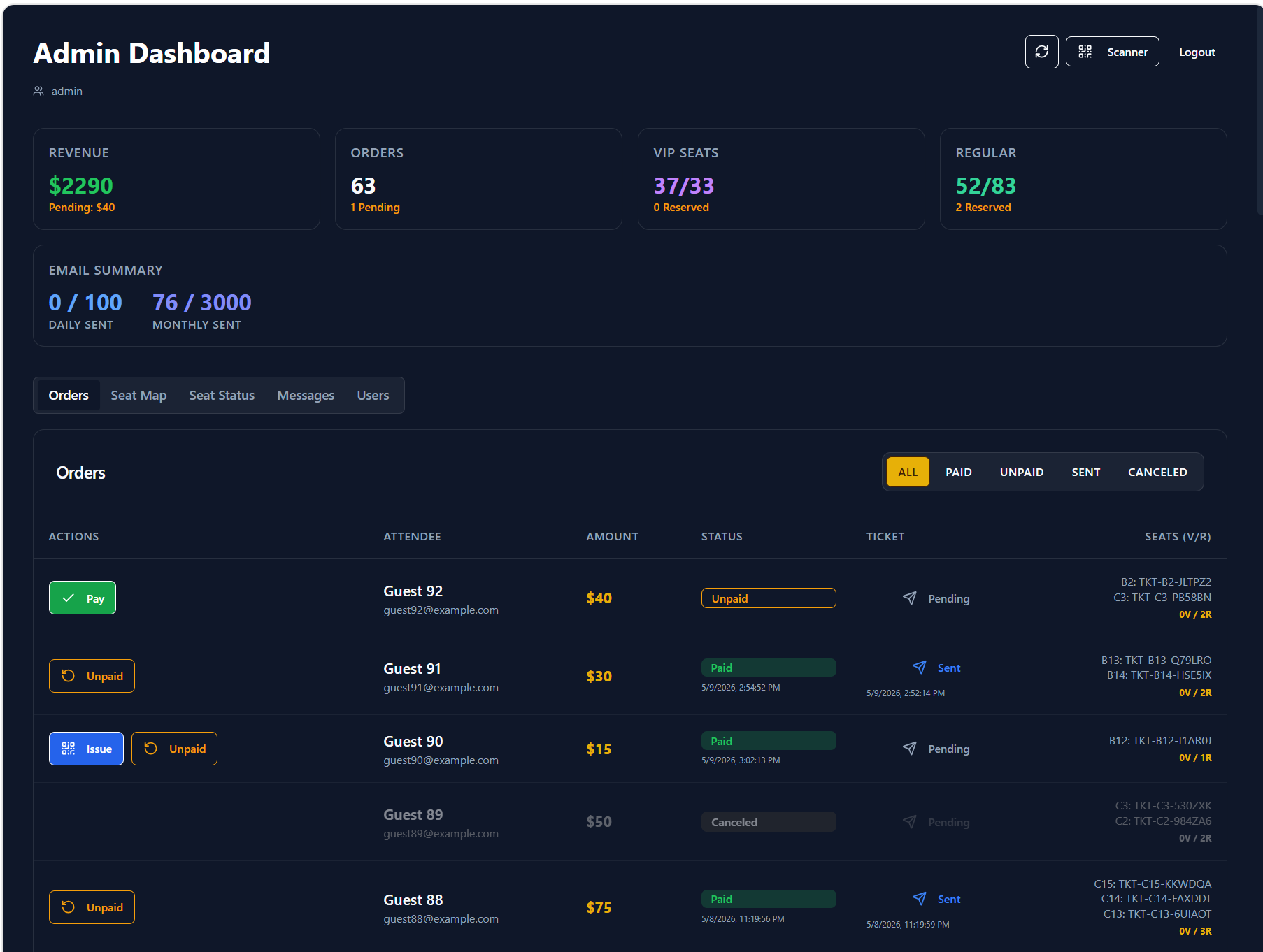
Run reservations and payments from one live view.

Multiple organizers see the same orders, payment status, ticket delivery, seat inventory, and communications. A manual payment confirmation becomes a structured trigger for the rest of the workflow.

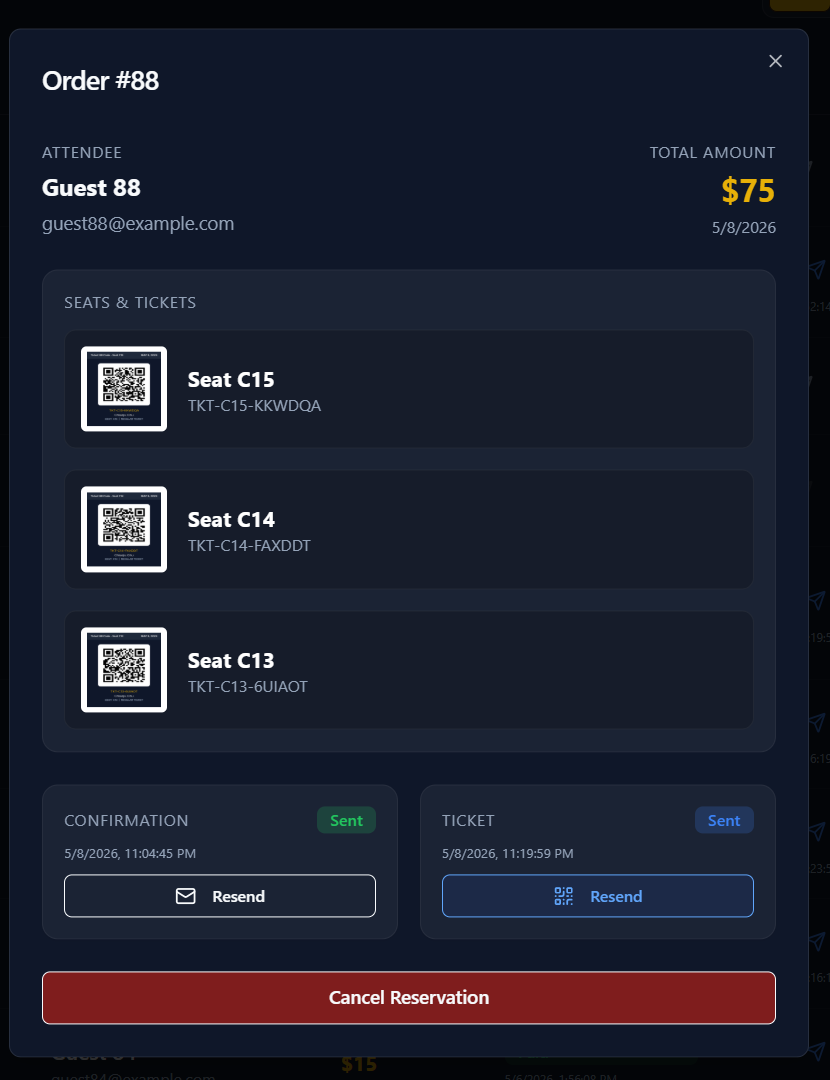
Admin dashboard populated with fictional guest records and example.com email addresses
Shared dashboard showing reservation, payment, ticket, and email status.
Order management interface for reviewing reservations and payments
Order view used to confirm payment and trigger QR code ticket delivery.
ReservationPaymentTicketSeat inventoryEmailCheck-in

Give volunteers the tool they need—and nothing more.

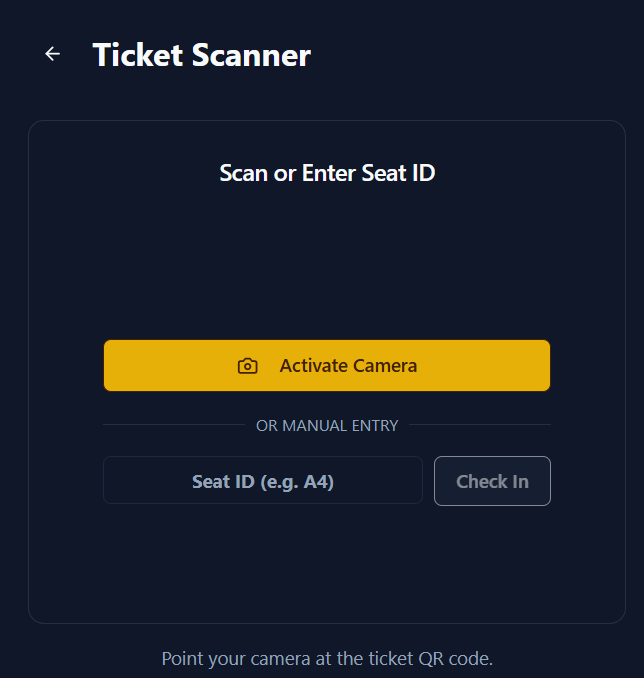
Event-day volunteers use a focused scanner interface rather than the full admin dashboard. They can scan a ticket or enter a seat ID manually, while reservation management, payment controls, and attendee administration remain restricted to organizers. This let the event team add check-in help without sharing sensitive controls or training volunteers on the full system.

OrganizersOrders, payments, tickets, inventory, communications
VolunteersScan or manually enter a seat ID and record check-in
Mobile ticket scanner with camera activation and manual seat ID entry
Focused scanner-only experience for event-day volunteers.

One confirmation advances the rest of the workflow.

01Organizer verifies payment

Manual payment stays under organizer control.

02Reservation updates

Every organizer sees the current state.

03System generates the QR code ticket

Each reserved seat receives a trackable ticket.

04System sends the email

The attendee receives the QR code ticket automatically.

05Check-in is ready

The same record supports event-day entry.

The workflow followed how the event actually operated.

ChoseInstead ofWhy
Zelle and in-person paymentIntegrated card checkoutAvoid commercial platform and processing fees
Organizer confirms paymentAutomated payment processingKeep familiar payment methods while automating the work that follows
One shared dashboardSeparate spreadsheetsGive every organizer the same current status
Scanner-only volunteer accessFull admin accessKeep check-in simple and limit access to attendee and payment controls

Shipped and used through event-day check-in.

99seats sold
About $2.6Kcollected
56paid reservations
86attendees checked in

The same workflow can support another event.

The system was built for this event, but its reservation, payment, ticketing, and check-in workflow can be configured with new event details, seat inventory, and pricing if the organizers use it again.

Read the short case study →